
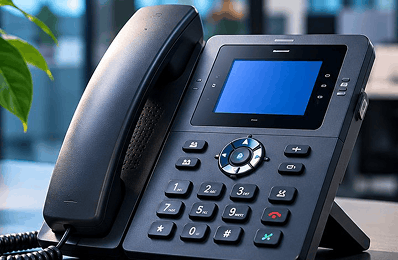
Desk phones
For reception and shared desks. We check which handsets work before you buy anything.
Explore business calling options, understand the setup considerations, and speak with a specialist about what fits your team. Features and eligibility are confirmed during your consultation.
Review number-transfer, connectivity and emergency-calling requirements before changing an existing service.
Office, home or on the move
Desk phones, computers or mobiles*
Calls to the right person
Routing options discussed with you*
A cloud phone solution lets your team make and receive business calls over the internet, on desk phones, computers or mobiles, managed online instead of through on-site equipment.
It depends on your internet connection and power. If either fails, calls may not work, including emergency calls, unless a backup has been arranged and confirmed with you.
A simplified example of how calls flow. Your actual setup is designed with you.
Your business phone system runs on a provider's servers instead of a box in your office. Calls travel over your internet connection.
The technology that carries voice calls over the internet. A cloud phone system uses VoIP.
A single phone line delivered digitally, often replacing an old copper (PSTN) line. Simpler than a full cloud phone system.
Grouped by what you want to achieve. Each item shows whether it's confirmed for Zoiko or something to discuss with our team.
Numbers, greetings and routing to the right people.
Local or non-geographic numbers for your business.
A greeting with menu options for callers.
Callers wait in line for the next free person.
Different call handling in and out of hours.
Shown as "Discuss with our team" until Product confirms it for a specific package. A need you tell us about isn't the same as a feature we've confirmed.
An illustration of one possible setup, not a product screen. Which options apply is confirmedwith you.
They dial your main business number.
An optional welcome message offers choices*.
Calls go to a group, in hours or after hours*.
On a desk phone, computer or mobile*.
Messages are saved for follow-up*.
*Example options. Availability for your business is confirmed during consultation.
Compatibility is checked for your devices during consultation. We don’t assume any handset or app works.
For reception and shared desks. We check which handsets work before you buy anything.
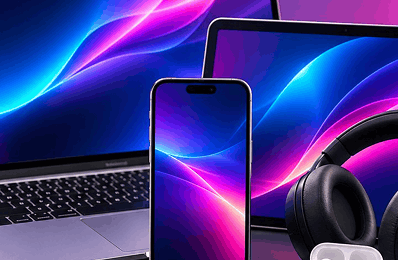
A softphone app on your laptop or desktop, if supported for your setup.

Take business calls on the move, if a supported mobile app is confirmed for you.

A conceptual model of who can do what. Your actual roles andpermissions are confirmed when your system is designed.
Approves contracts, billing and who can manage the system.
Adds users, numbers and call settings, if your package supports it.
Views team call activity where reporting is confirmed.
Makes and takes calls. Sees only their own settings.
Single sign-on, multi-factor sign-in and encryption are listed only once confirmed for yourpackage.
Changing your phone service affects emergency calls, connected devices and your numbers.Here's what we review with you.
Calls over the internet need power and a working connection. In a power cut or broadband outage, you may not be able to call 999 or 112 unless a backup is in place. If staff work from different places, we'll ask how to keep emergency location details up to date. Tell us if anyone relies on their phone for safety.
Call quality depends on your broadband, Wi-Fi and office network. We check them before recommending a setup.
Cloud phones stop working without power unless you have a backup, like a battery unit or mobile fallback.
Alarms, lift lines, card machines, fax and telecare may need special checks. We review these with a person.
We'll review number transfer options with you. Transfers aren't guaranteed until approved.
Tick what applies to your business. This isn't sent anywhere until you submit the form below.
Don't cancel your current phone service until your new service and any number transfer are confirmed working.
We don’t publish package prices for cloud phone yet. Your written quoteitemises every cost, so nothing is hidden.

Per user or per line, monthly or annual, with or without VAT.
What’s included for UK, mobile and international calls.
Buy, rent or bring your own, plus any delivery.
Installation, onboarding and number transfer costs.
Contract length, renewal and how to cancel.
Only the support hours and service levels we can confirm in writing.
A quote isn't an order. Nothing is set up, ported or charged until you sign an agreement.
Around three minutes. We use your answers to prepare for a conversation with a business specialist. This isn't an order or a quote.
Chooseone
Every step is confirmed with you. We never set cutover dates until your number transfer is approved.

We talk through your team, sites and calls.
We check broadband, network, power and connected devices.
You get a written proposal with every cost itemised.
We check which numbers can move. No dates promised until approved.
Your system is configured and tested with you.
Switch over once everything is confirmed working.

A digital line replaces a single phone line. A cloud phone system runs your whole business phone setup online, with users, numbers and call handling.
We'll help you understand your options, check what your business needsand prepare a written quote.
Business sales: [Approved business sales number] · Text relay available [confirm]


No pressure to switch.